MxSW2-lo 11 compatibility specs
COMPATIBILITY SPECIFICATIONS

Laptop Support Arms
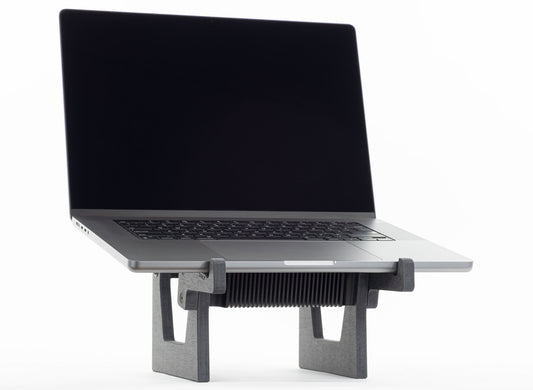
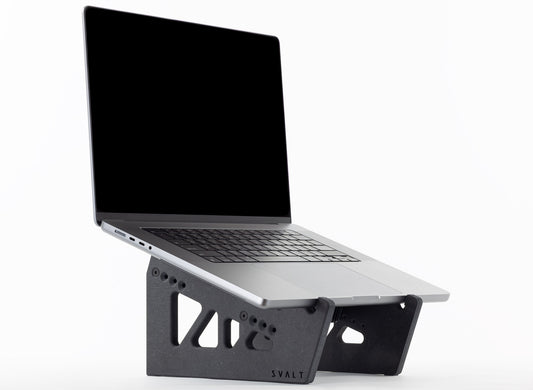
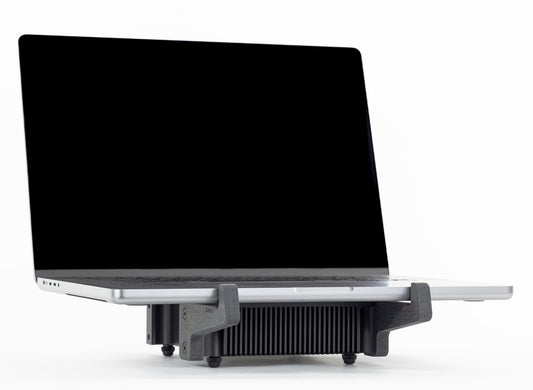
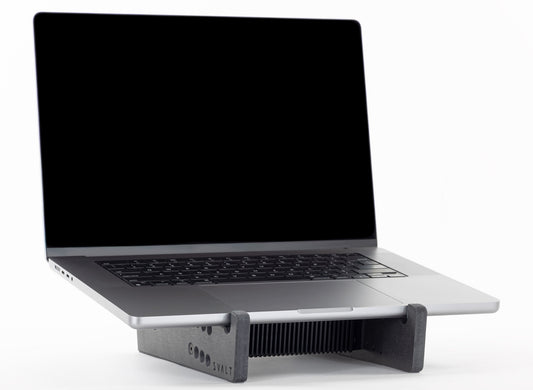
The second generation Mx stand supports use bolt-on laptop support arms. By separating the laptop support arms from the heatsink supports, the heatsink maintains the ideal position for cooling the laptop while allowing the laptop support arms to be exchangeable for optimal fit with different laptop models and sizes. The arms are available in a large arm size optimized for 2021+ 16-inch MacBook Pro and 2023+ 15-inch MacBook Air, and a small arm size optimized for 2021+ 14-inch MacBook Pro and 2022+ 13-inch MacBook Air.

MacBook Pro
MacBook Pro laptops have built-in fan cooling systems that exhaust hot air along the back edge and have a larger radius around the bottom edge. This requires the MacBook Pro’s back edge to be positioned further back from the heatsink’s back edge. This allows the same laptop support arm to be optimized for the larger 16/14-inch MacBook Pro and the smaller 15/13-inch MacBook Air.

MacBook Air
MacBook Air laptops lack a built-in fan cooling system and have a tighter / smaller radius around the bottom edge. This allows the MacBook Air’s back edge to be positioned closer to the heatsink’s back edge. This positioning places the MacBook Air’s processor closer to the center of the heatsink for increased heat transfer. This allows the same laptop support arm to be optimized for the smaller 15/13-inch MacBook Air and the larger 16/14-inch MacBook Pro.
Mx Product Line Compatibility
All Mx models within the Mx modular heatsink cooling system use a universal support design approach to offer compatibility with a wider range of devices, including all modern Apple laptops, many PC laptops and other devices. The following is a list of compatible devices. The list includes recommended heatsink mounting position when used with first generation high/low stand supports, and recommended laptop support arm size when used with second generation high/low stand supports.
Apple MacBook Pro
- 2021+ 16-inch (Apple Silicon): position 1 / large arm.
- 2021+ 14-inch (Apple Silicon): position 3 / small arm.
- 2023+ 14-inch (Apple Silicon): position 3 / small arm.
- 2020-2023 13-inch Touch Bar (Apple Silicon): position 4 / small arm.
- 2019-2020 16-inch Touch Bar (Intel): position 2 / large arm.
- 2016-2019 15-inch Touch Bar (Intel): position 3 / large arm.
- 2016-2020 13-inch Touch Bar (Intel): position 4 / small arm.
- 2016-2019 13-inch non-Touch Bar (Intel): position 4 / small arm.
- 2012-2018 15-inch Retina (Intel): position 2 / large arm.
- 2013-2017 13-inch Retina (Intel): position 4 / small arm.
- 2012 13-inch Retina (Intel): position 4 / small arm.
- 2023+ 15-inch (Apple Silicon): position 2 / large arm.
- 2022+ 13-inch (Apple Silicon): position 4 / small arm.
- 2020-2023 13-inch Retina (Apple Silicon): position 4 / small arm.
- 2018-2020 13-inch Retina (Intel): position 4 / small arm.
- 2010-2019 13-inch (Intel): position 4 / small arm.
- 2026+ 13-inch (Apple Silicon): position 4 / small arm.
- 2015-2018 12-inch Retina (Intel): position 4 / small arm.
- The Mx is compatible with many other laptops, tablets and devices per the Compatibility Criteria below.
Compatibility Criteria
The Mx is a fully modular system built around the core heatsink component. The top of heatsink has an extra large coupling plate for direct metal-to-metal coupling with a device’s metal enclosure/chassis to thermally conduct heat from the device and into the heatsink. For device compatibility with the Mx modular heatsink cooling system, all of the following compatibility criteria must be met:
- Metal Coupling: For proper heatsink coupling and maximum thermally conductive heat transfer, the back/bottom of the device should have a metal enclosure/chassis without a protective cover/case or a skin/wrap installed over or on top of the metal surface.
- Flat Coupling: For proper heatsink coupling and maximum thermally conductive heat transfer, the back/bottom of the device should have a flat metal surface free of pads, bumps and protrusions within the heatsink’s coupling area.
- Coupling Area: For proper heatsink coupling and maximum thermally conductive heat transfer, the back/bottom of the device should have flat metal surface that is at least 6.750 inches front-to-back and 5.950 inches side-to-side. A smaller area can work with a device that is smaller than the heatsink and meets other compatibility criteria.
- Air Vents: If the device has a built-in air cooling system, then the device’s vent locations and their direction of airflow needs to be considered, such as the following: 1) The device’s vents should not be covered by the heatsink’s coupling area. 2) The device’s hot exhaust vents should not blow directly onto the heatsink.
- Fit w/ 2nd Gen Stand Supports: The second-generation High/Low Stand Supports use laptop support arms available in two sizes, large and small. The large arms position the front edge of heatsink approximately 2.5 inches from the device’s front edge. The small arms position the front edge of heatsink approximately 1.4 inches from the device’s front edge.
- Fit w/ 1st Gen Stand Supports: The first-generation High/Low Stand Supports have four heatsink mounting options, and position the heatsink from the device’s front edge by approximately 2.700 inches for position 1, 2.150 inches for position 2, 1.600 inches for position 3, and 1.050 inches for position 4.
- Fit w/ 2nd and 1st Gen Dock Supports: The second and first-generation Dock Supports position the heatsink above the device’s bottom edge by approximately 0.430 inches.
Learn More
See Laptops page to learn more.
-
Cooling Stand MxSW2-hi
Regular price From $399.00 USDRegular price$309.00 USDSale price From $399.00 USD -
Cooling Stand MxSW-hi
Regular price From $389.00 USDRegular price$309.00 USDSale price From $389.00 USD -
Cooling Stand MxSW2-lo
Regular price From $379.00 USDRegular price$309.00 USDSale price From $379.00 USD -
Cooling Stand MxSW-lo
Regular price From $379.00 USDRegular price$289.00 USDSale price From $379.00 USD -
Cooling Dock MxDW2
Regular price From $389.00 USDRegular price$299.00 USDSale price From $389.00 USD -
Cooling Stand Sx
Regular price From $279.00 USDRegular price -
Cooling Stand SxM
Regular price From $279.00 USDRegular price





Product Selection Guides
-
 Compare
Compare product features and specifications.
-
 Laptops
Recommended products for your laptop model.
-
 Performance
Performance testing with a variety of laptops.