MxDW2 3 laptop features
LAPTOP COOLING FEATURES

Clamshell Laptop Cooling
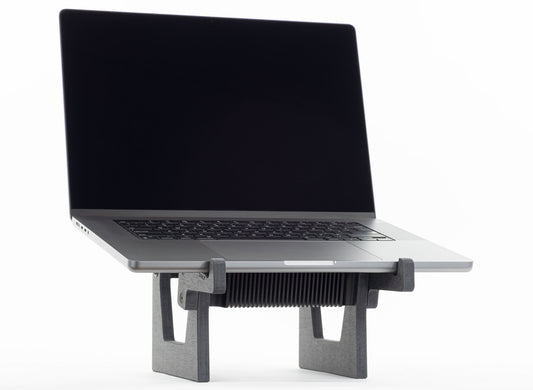
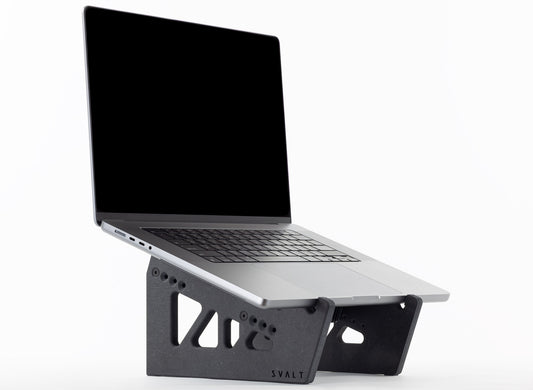
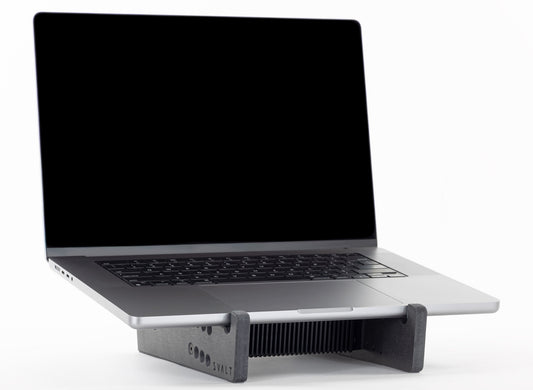
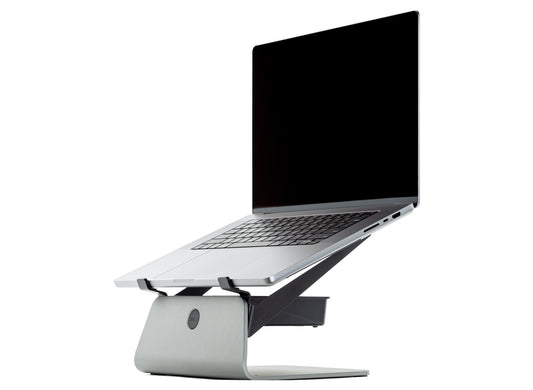
The new second generation Mx dock supports have been revised for improved clamshell cooling capabilities with larger openings and a higher laptop position to maximize cooling performance and precise fit with the latest MacBook Pro and MacBook Air laptops, as well as compatibility with all recent Apple laptops, many PC laptops and other devices.

Clamshell Laptop Heatsink
The dock supports and heatsink have been designed for seamless integration and optimal performance with the latest generations of 2021+ MacBook Pro laptops.
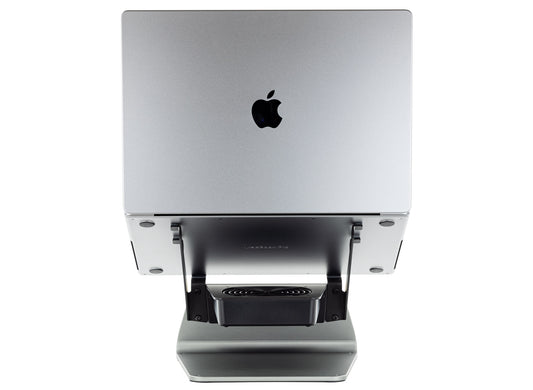
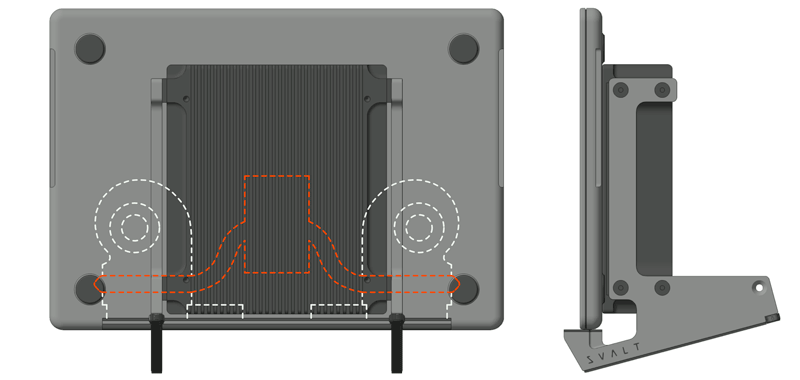
- The heatsink’s width, length and cutouts are precisely designed for optimal cooling and optimal airflows with MacBook Pro’s built-in venting and cooling systems.
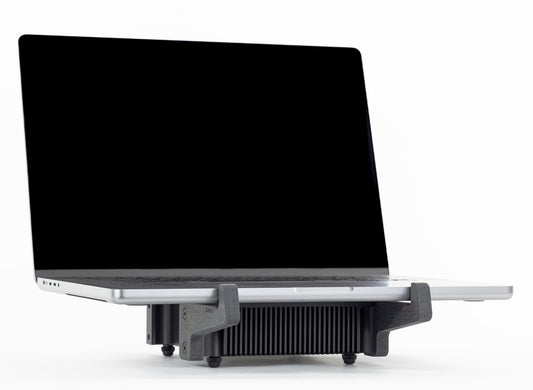
- The heatsink’s array of 28 cooling fins and air channels match the MacBook Pro’s processor location and built-in cooling system layout for improved heatsink cooling performance.
- The heatsink’s corner cutouts align with MacBook Pro vents for reduced heat gain and improved cooling performance.
- The heatsink’s center cutout aligns with new second generation dock upper cutouts for improved passive and active cooling airflows around the heatsink.
- The heatsink coupling plate’s length and width provide optimal MacBook Pro heat extraction, along with stable laptop support.
- The heatsink’s mass is positioned for alignment with the MacBook Pro’s processor location.
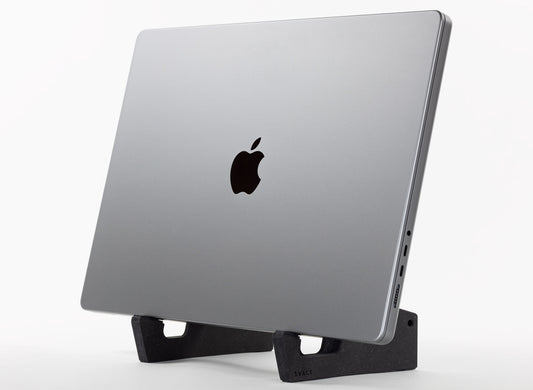
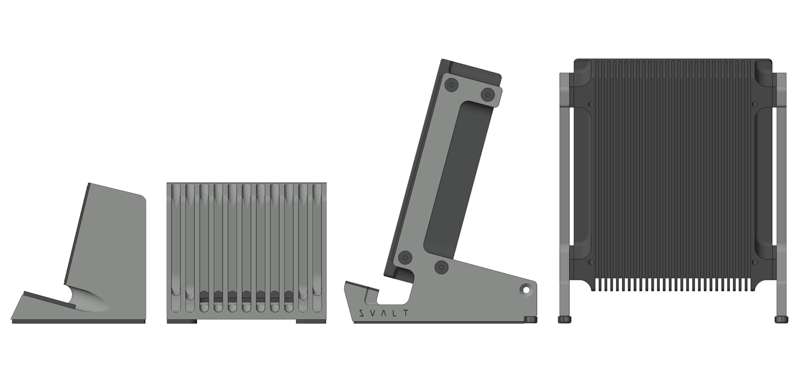
- The dock supports use a leaning clamshell configuration instead of a straight vertical configuration to maintain contact pressure on the heatsink’s thermally conductive coupling plate for improved heat transfer.


Clamshell Laptop Exhaust
The dock supports include a number of innovative cooling design features to improve the MacBook Pro’s built-in venting airflows when operating in closed-screen clamshell mode. The new second generation docks have further refined and improved these cooling design features to push the design towards even higher cooling capabilities.
- The lower support cutout located behind the padded laptop support shelf has been enlarged for improved airflows under and around the laptop and heatsink.
- The laptop and heatsink have been raised to a higher position above the desk surface for improved airflows under and around the laptop and heatsink.

Clamshell Laptop Intake
Apple included the center intake vent in the 2021+ MacBook Pro to improve cooling over the prior 2016 generation. This center intake vent is located along the bottom hinge. It is designed to pull in cold air past the processor for direct air cooling. The dock supports place the intake down for optimal cooling design.
- Places the intake vent down where the cool air falls and collects, so the intake can pull cold air instead of exhaust hot air.
- Places the intake vent and processor down in the cool air instead of up where the hot air rises and accumulates.

Clamshell Laptop Fans
The dock supports use a leaning clamshell configuration with the laptop’s center cold air intake down for optimal fan cooling design.
- The dock design directs 140mm and 80mm fan airflows to flush out hot and drive cooling airflow towards the laptop’s cold intake.
- The dock design works with the 80mm fan to drive cooling airflow into the laptop’s intake vent to directly cool the processor.
- The dock design works with the simultaneous use of both the 140mm and 80mm fans.
- The new second generation dock supports raise the laptop and heatsink higher for improved fan cooling airflows.


Clamshell for MacBook Air
The dock passive airflows and active fan airflows around the heatsink and laptop benefit both the MacBook Pro with a built-in fan cooling system and laptops that lack a built-in fan cooling system, such as the MacBook Air. The massive heatsink is ideally paired with the enormous 140mm fan to generate extreme cooling capabilities for professional and high-demand MacBook Air users.

Extensive Compatibility
The dock supports use a leaning laptop position instead of a straight vertical position to maintain contact pressure on the heatsink’s thermally conductive coupling plate for improved heat transfer, and for easier clamshell mode setup. The leaning position also helps to accommodate a wider range of laptop models and sizes, as well as tablets and other devices. See the compatibility technical specifications to learn more.
-
Cooling Stand MxSW2-hi
Regular price From $399.00 USDRegular price$309.00 USDSale price From $399.00 USD -
Cooling Stand MxSW-hi
Regular price From $389.00 USDRegular price$309.00 USDSale price From $389.00 USD -
Cooling Stand MxSW2-lo
Regular price From $379.00 USDRegular price$309.00 USDSale price From $379.00 USD -
Cooling Stand MxSW-lo
Regular price From $379.00 USDRegular price$289.00 USDSale price From $379.00 USD -
Cooling Dock MxDW2
Regular price From $389.00 USDRegular price$299.00 USDSale price From $389.00 USD -
Cooling Stand Sx
Regular price From $279.00 USDRegular price -
Cooling Stand SxM
Regular price From $279.00 USDRegular price





Product Selection Guides
-
 Compare
Compare product features and specifications.
-
 Laptops
Recommended products for your laptop model.
-
 Performance
Performance testing with a variety of laptops.